
Doc2X MCP: Codex
Back: Doc2X MCP Guide
This page uses Codex CLI as an example to show how to add Doc2X MCP as a local MCP server and call it in chat.
What You Need
- Node.js (LTS recommended) and
npx DOC2X_API_KEY(looks likeYOUR_DOC2X_API_KEY)- (Optional) other Doc2X MCP config (for example
DOC2X_BASE_URL/ timeouts / polling): see “Environment Variables” in the Doc2X MCP Guide - (Optional) proxy env (
HTTPS_PROXY/HTTP_PROXY)
Add MCP Configuration
Run in your terminal:
codex mcp add doc2x --env DOC2X_API_KEY=YOUR_DOC2X_API_KEY -- npx -y @noedgeai-org/doc2x-mcp@0.1.5Check MCP
Open the MCP list in your Codex session (entry point may vary by version):
- Type
/mcpand press Enter - Or use the MCP/Tools entry in the UI
You should see a doc2x MCP server and it should be available (you can expand it to view the tool list).
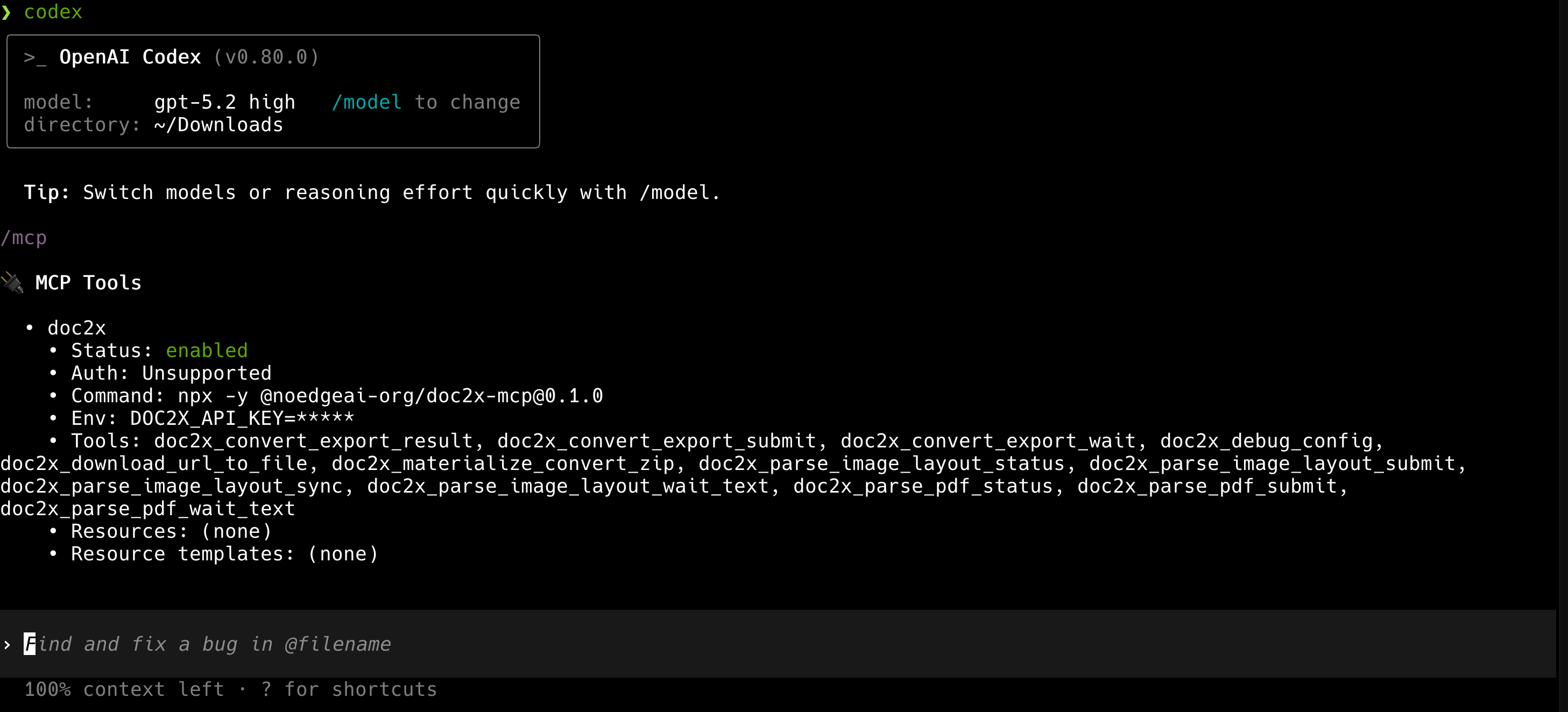
Use doc2x-mcp
Try a minimal, verifiable flow first:
- Put the target PDF in your current working directory (or provide an accessible absolute path)
- In chat, explicitly ask the model to use the
doc2xMCP server to parse and export, and provide the file name
Example prompts (replace with your file name):
Use doc2x-mcp to parse ./paper.pdf and export it as Markdown.Use doc2x-mcp to parse ./paper.pdf, then tell me the exported file path.
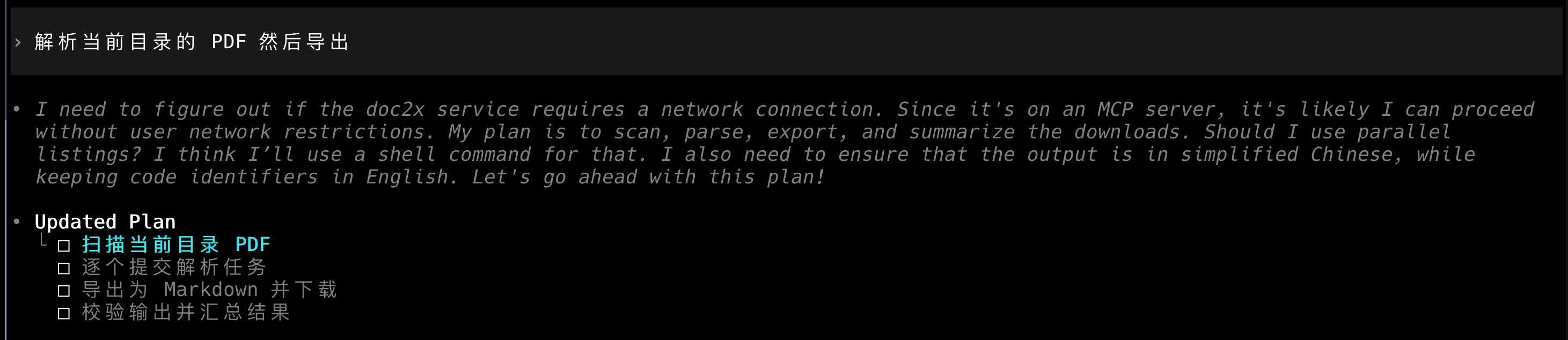
Please wait a moment. Once parsing completes, the results will be exported.
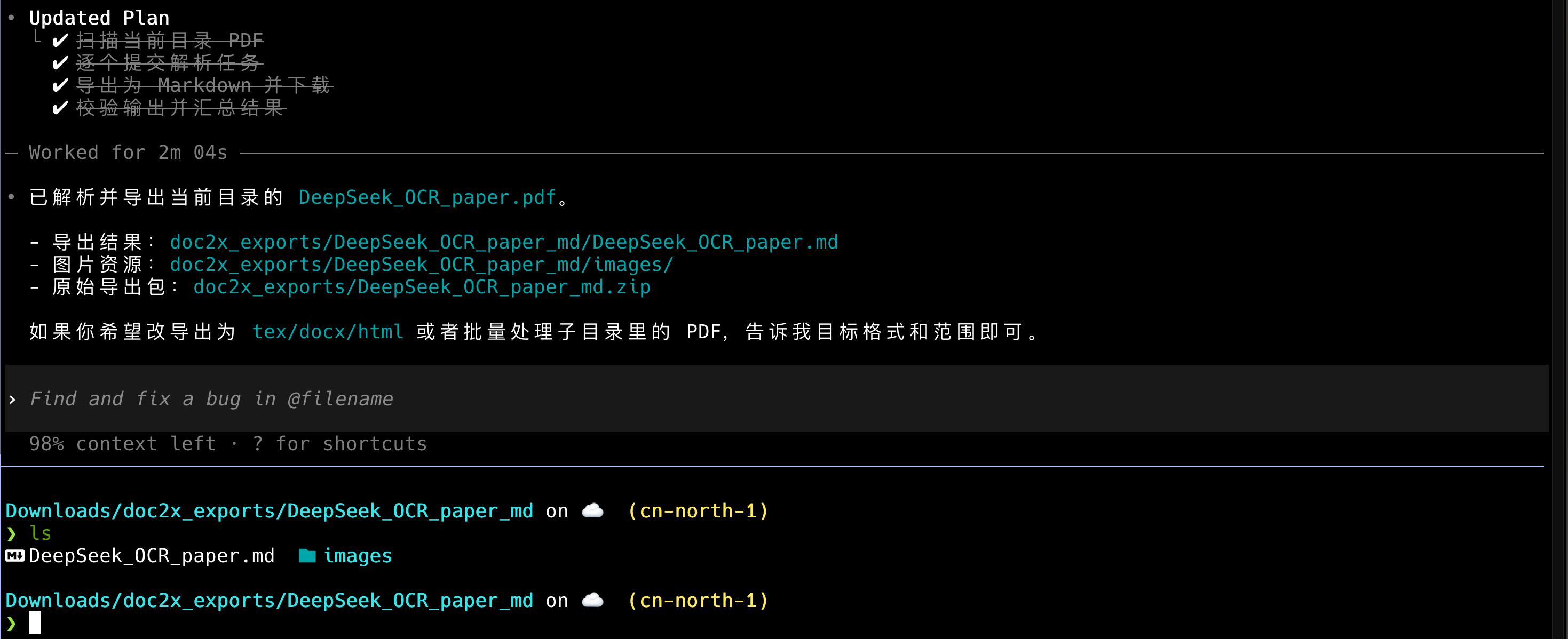
Troubleshooting
- If the server doesn’t show up, re-check the MCP configuration and restart/refresh the session.
- If dependency installation fails, verify
npx -y @noedgeai-org/doc2x-mcp@0.1.5works in your terminal first.
Version, paths, and completion checks
This page configures MCP 0.1.5. Existing screenshots illustrate client steps; labels may change with client versions. Use Node.js 18+ and obtain an API Key from the Open Platform. YOUR_DOC2X_API_KEY is a placeholder: keep the real value in private local configuration, not chat or version control.
After connection, confirm the tool list includes doc2x_parse_pdf_submit and export/download tools. Supply an absolute input path and output directory, authorize one submission, retain uid, and wait for parsing success before export. Follow the complete tool sequence and prompt.
Ask for actual saved paths, then open the result and check images, formulas, and page order. A progress screenshot is not export-success evidence. On timeout query the original uid. Input paths must be readable on the MCP host and the output directory writable. Real parsing consumes platform quota; a connected server alone is not task authorization.
See the official Codex MCP documentation for configuration and command details.