
Permanent Local Storage, History and Markdown Files
Permanent local storage imports existing cloud results and related files to this computer and adds local records in the desktop app. Saved files are not governed by the cloud history's 30-day display window. They still depend on the disk, archive folder and local records, so keep appropriate backups.
Distinguish three locations
| Location | Purpose | Key distinction |
|---|---|---|
| 30天临时存储 (30-day temporary storage) | Cloud parsing, translation and image records for the current account | Download or import what you need before expiry |
| 本地永久存储 (Permanent local storage) | Preview imported materials in the desktop app | Requires local records and their files; it is not automatic cross-computer cloud sync |
| Ordinary downloads or batch output folders | Files exported by an operation | Downloading a DOCX/MD does not automatically create an archive record |
Cloud history and multi-select export
- Expand 30-day temporary storage in the sidebar and open the relevant project and parsing/translation result.
- Use 多选操作文件 (Multi-select operations), or open all records, to work with cloud temporary history in bulk.
- Select 多选文件 and choose results for batch export. Configure formats, content and filenames according to the selected result types.
- Monitor the global export-task popover and check individual outcomes. Batch export creates individual files, not necessarily a single ZIP. Keep the browser or desktop app open while it runs.
- In desktop, 导入到本地 (Import locally) on a project creates an archive as described below. 批量转存 (Batch transfer) is a separate external-service workflow; see batch transfer.
First local import
- In the desktop app, open a cloud project's menu and choose Import locally.
- On first use, configure an 输出目录 (Output directory) with enough space that you can keep long-term.
- Choose 按文件分组 (Group by file) or 扁平布局 (Flat layout), and select parsing and translation output formats separately.
- Set formula delimiters for Markdown or a template for Word where available. PDF书签处理 (PDF bookmark handling) applies to locally saved fixed-layout translations.
- Confirm and wait for the import to complete. It includes source files, parsing data and selected results; one downloaded file does not prove the entire import succeeded.
- Switch the sidebar storage selector to Permanent local storage, expand the project, and check its parsing, translation or image result.
- Open the disk folder and verify the original, selected formats and image attachments.
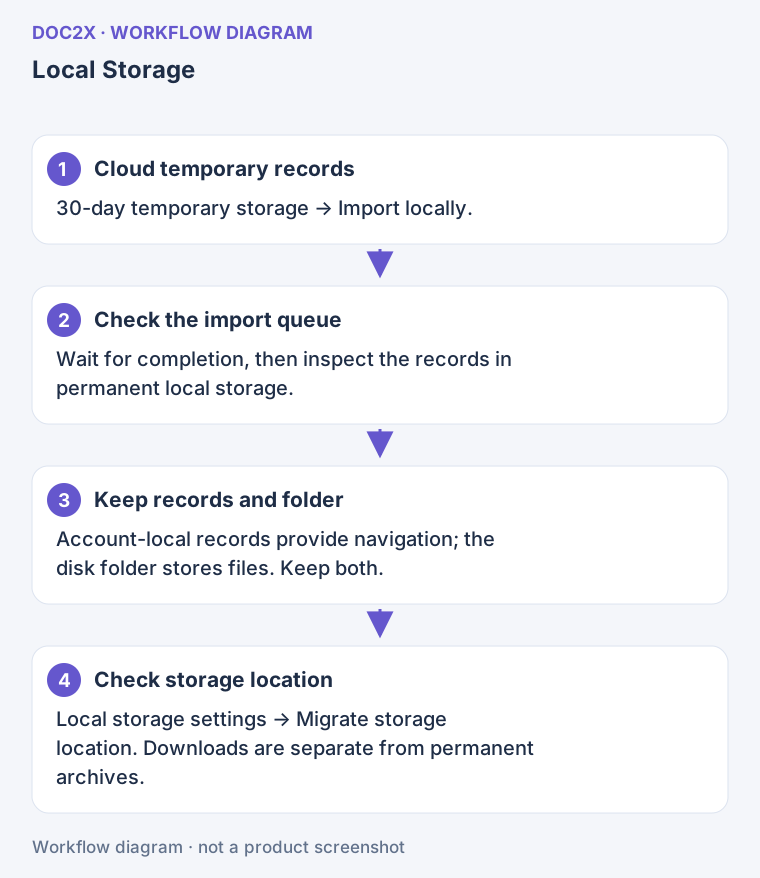
Diagram: After import, local records provide navigation and the disk folder holds the files; keep both.
If an image cannot be downloaded, the result may retain an online reference and show a warning. Such an image still depends on its network source and is not a complete offline archive.
Settings and automatic import
Open avatar → 账户管理 (Account management) → 本地存储设置 (Local Storage Settings) to inspect the directory, layout, parsing/translation formats and PDF bookmark handling.
- 自动转存本地(30天临时存储成功后自动转存) is off by default. After configuring a directory, enable it to queue local imports after subsequent cloud tasks succeed.
- This does not scan and backfill all old history. Import older projects manually.
- If an imported project later gains a translation, import it again to add available results. Inspect status and existing files rather than deleting the whole record first.
- Local records are read for the current account. If they disappear after switching accounts, check the account before moving or deleting folders.
Move an archive directory
- In Local Storage Settings, find 迁移存储位置 (Migrate storage location).
- Enter a new path or click 选择目录 (Choose directory). Do not choose the old path or one of its subdirectories.
- Check source, destination and free space, then click 开始迁移 (Start migration) and confirm.
- Wait for copying and path updates; inspect success/failure counts. New imports wait during migration, so avoid manually moving files on either side.
- After success, open files from local records and inspect the new directory. Migration handles the files associated with the relevant records; it does not simply empty the entire old folder.
- On failure, keep the old files and use 重试迁移 (Retry migration). After an unexpected close, reopen with the same account and inspect recovery progress.
Once initialized, the archive directory cannot be changed by overwriting the path field; use migration. The ordinary default download folder in Personal settings is a separate setting.
Save an individual Markdown document
To save an edited document without creating an archive:
- Open the Markdown editor, paste the text or drag in one
.mdfile. - Check text, formulas and tables in source and preview. If local images are missing, use the image prompts to select the original files or folder.
- Click 导出文件 (Export file), then choose Markdown. In desktop, use the default save location if offered; otherwise choose a location in the download/save dialog.
- Reopen the
.mdin that folder and check image references. A Markdown text file is not automatically a backup of every referenced image; keep the necessary resources too. - Local editor drafts help you continue editing, but are not cross-device sync. Save important documents before clearing editor caches.
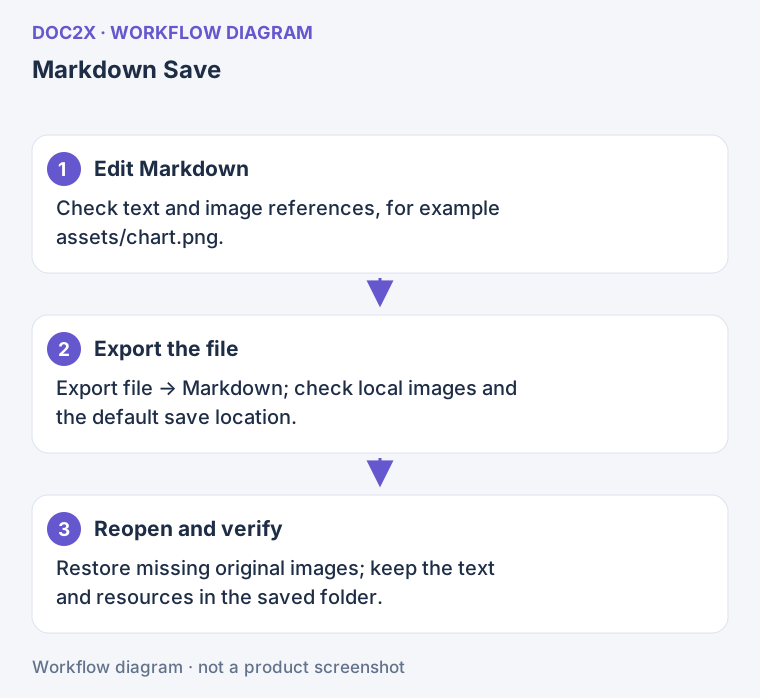
Diagram: When saving Markdown, check both the text and image resources, then reopen the file to verify it.
Preview, deletion and recovery
| Situation | What to do |
|---|---|
| A local record remains but files were moved/deleted | Restore the files or check the original location; if the cloud source is still available, try importing missing results and keep any errors for support |
| Images are missing after import | Inspect download warnings; expired online references require the source document or original images |
| A local result opens but cannot continue translation | Local reading is different from online processing; further parsing/translation still requires a valid cloud record, account access and quota |
| Import is unavailable during migration | Finish or recover the migration before adding imports |
| You want to delete local records | Use the record menu or local multi-select deletion, read the confirmation, and separately check whether disk files must be kept |
| Edits disappeared after cache cleanup | Editor caches, cloud history and permanent archives are separate; check saved files or archives rather than expecting cache cleanup to recover cloud records |
The local archive's batch-deletion page selects and deletes records. It is not the batch parsing or export page. For new processing of multiple files, see desktop batch processing.