
Translation Context Enhancement
What Is Context Enhancement?
Context Enhancement (“上下文增强”) is a translation setting for work that benefits from checking terminology, references, and consistency across a document. Like the target language, model, and translation mode, it applies to the next translation task you submit. Turning it on does not retranslate an existing result.
When a term must have a particular translation, also configure a translation glossary. Context Enhancement does not replace checking the source and cannot guarantee correct terminology, references, or cross-paragraph relationships.
Benefits and What to Check
Terminology Consistency
Compare recurring terms in the introduction, main text, and conclusion. For required names, abbreviations, or product terms, define the preferred translation in a glossary and then verify the output.
Coreference Resolution
Read expressions such as “this method,” “the above results,” and “as mentioned earlier” together with surrounding paragraphs. Check that the translation refers to the correct object.
Style Coherence
Check names, tone, and phrasing across adjacent sections. This is a useful context-aware reading task, but awkward or inconsistent sentences still need review.
Domain Adaptation
Use domain references or your glossary to check key concepts, especially ambiguous abbreviations. Enabling the setting is not professional validation of the translation.
Use Cases
| Document | Suggested checks |
|---|---|
| Papers and research reports | Recurring terms, cross-references, arguments, values, and units |
| Technical documentation | Operation targets, command names, and concepts repeated across steps |
| Contracts and clauses | Defined terms, parties, negation, and conditions |
| Book chapters | Names, concept translations, and references across chapters |
How to Use It
Step 1: Choose a Translation Entry Point
For a new document, open Translation in the left sidebar. Select the mode, model, and target language, then choose a PDF. DOCX/PPTX files first go through Office-to-PDF preview. See the translation tutorial for the upload workflow.
Images enter the separate Image Translation Editor, which uses its own language, model, and glossary settings. They do not follow this document-mode/Context Enhancement workflow.
For an existing parsed document, open its reader and click New Translation (“新建翻译”). Configure it in Choose Translation Settings (“请选择翻译配置”). This reuses the parsed result without uploading the file again.
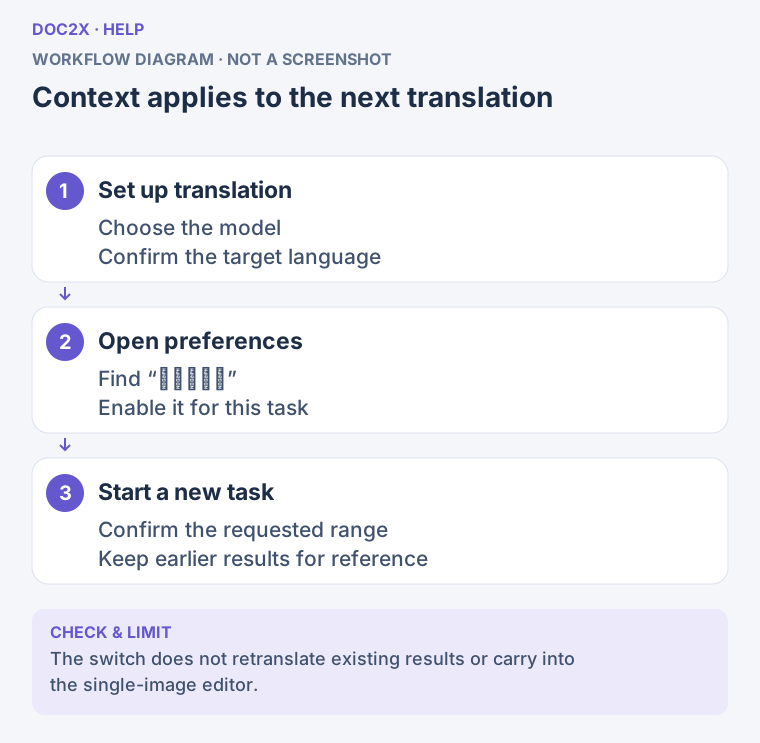
Context applies to the next translation (workflow diagram). Open the image in a new tab to enlarge it.
Step 2: Enable Context Enhancement
- Expand Translation Preferences (“翻译偏好”) on the translation home page and find Context Enhancement (“上下文增强”). In upload confirmation or New Translation, the corresponding setting may be labeled Translation Enhancement (“增强上下文翻译”).
- Turn it on and read the nearby information. The information icon opens this help page.
- Check the switch and access message. This feature requires membership. Some accounts may see “会员功能 · 本次免费试用 1 次” (membership feature; one free trial for this task) in the translation home upload workflow. Treat it as a trial only when that message appears.
- If the switch turns off after sign-in or a membership prompt appears, check the final settings again. You can leave enhancement off and continue with standard translation, or follow the access options shown.
Trial availability differs by entry point
A trial in the upload workflow does not imply free access from New Translation, batch translation, or local translation. Those entry points use their current membership checks. Follow the switch and message actually shown.
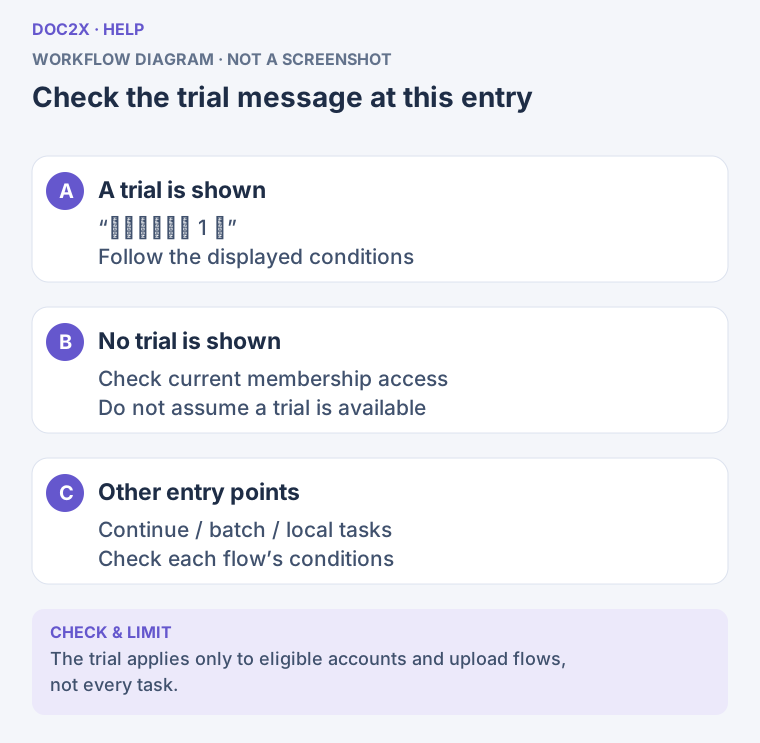
Check the trial message at this entry (workflow diagram). Open the image in a new tab to enlarge it.
Step 3: Check the Other Settings
- Target language and model: Choose them for this task and check the model's credit message.
- Translation mode: Select bilingual, preserve layout, or the combined mode. Enhancement does not choose a mode for you.
- Glossary: Sign in, then select your prepared glossary; see the CSV glossary tutorial.
- Skip Translation: Selected content types—tables, code, images, or references—retain their source content. Check for accidental selections.
- Page range: For a new PDF upload, submit only the required pages. New Translation checks the page count of the existing parsed result; it is not a page-selection tool for the original PDF.
- PDF Font Strategy: When a layout-preserving mode shows this option, select Globally Consistent (“全局一致”) or Page Priority (“单页优先”). This setting is separate from Context Enhancement.
Step 4: Submit and Review
- Check the page count, model, and available quota, then submit in the current upload confirmation dialog; for an existing result, confirm in Choose Translation Settings.
- Watch the task in the left sidebar. Preview While Translating (“边译边看”) opens an early preview when available. Full export still requires the task and its corresponding result to be ready.
- Open the new translation under the document and compare it with the source. Check terminology, references, values, negation, and formulas.
- To compare with an earlier translation, open the relevant translation records separately. Existing translations are unchanged; changing enhancement and submitting again creates a new task.
- If needed, follow result editing to use Edit Translation where available and confirm the changes are saved before exporting. See translation export for the full conditions.
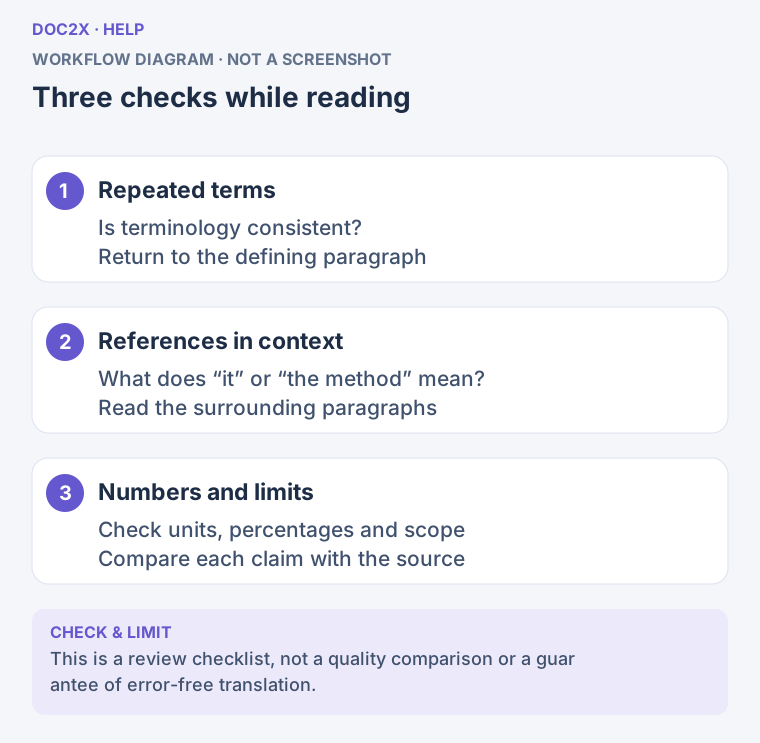
Three checks while reading (workflow diagram). Open the image in a new tab to enlarge it.
Notes
- Check access and credits separately: Access to the switch and sufficient model credits are different requirements. Follow the model, page count, trial, and quota information at submission time; see Credits Rules.
- Read creation errors first: An upload trial is consumed when the translation task is successfully created. A failed creation or cancellation does not establish that a previously created task will refund its trial or credits.
- If the page count cannot be read: In New Translation, click Read Page Count Again (“重新读取页数”), then wait for the credit check before confirming.
- If credits are insufficient: New Translation suggests adding credits or returning to select a free model, with View Top-up Options (“查看补充方案”). Recheck the settings after switching models.
- Review the result: The interface does not guarantee a fixed processing time or a particular quality improvement. Completion does not mean the translation has been validated.
Difference from a Glossary
| Item | Context Enhancement | Translation glossary |
|---|---|---|
| Setup | Enable it and check access | Import term pairs and select the glossary |
| Purpose | Assist context-aware interpretation and consistency review | Specify preferred translations of important terms |
| Applies to | The next submitted translation task | The next task that selects this glossary |
| Review | Cross-paragraph relationships and consistency | Whether the specified terms were applied correctly |
You can configure both. Preparing key terms and checking them in the result makes problems easier to find than relying only on a switch.
FAQ
Q: Which languages are supported?
A: Choose from the current target-language list, then check whether the enhancement switch is available. Languages, models, and account options follow the current interface; an example is not a fixed list for every entry point.
Q: Why did older documentation say Beta or disabled by default?
A: The current entry is named Context Enhancement. The app may remember your settings and checks your access after sign-in. Check the actual switch before every submission rather than relying on an old screenshot.
Q: Is it always more accurate or slower?
A: Neither is guaranteed. Evaluate quality and processing time for the actual document and model, especially terminology, values, and references.
Q: Does it change export formats or layout?
A: Export content, formats, and layouts still depend on the translation mode and ready results. Enhancement does not independently unlock Word or a PDF layout. See format selection.